

Dreamer-ready. Images and Box questions aren’t yet up to our standards to call ready for production, but we’re excited for dreamers and builders to play with them. Use them to build prototypes and try ideas. The request format, the answers, and the limits on this page can change between releases, and accuracy will change as we update the models. Tell us what you build, and what breaks, on Discord.To use images or Box questions, send the
TypeSafe-Danger-Zone-Images: true header with each request that contains an image or a Box question. See Turning on images.state, in a question’s instructions, and in its criteria. Every question type accepts images, and the Box question type returns where something is in an image.
Turning on images
Images and Box questions are off by default. To use them, send theTypeSafe-Danger-Zone-Images: true header with each request that contains an image or a Box question. The examples under Uploading images show how. The other examples on this page show only the request body.
Sending images in a request
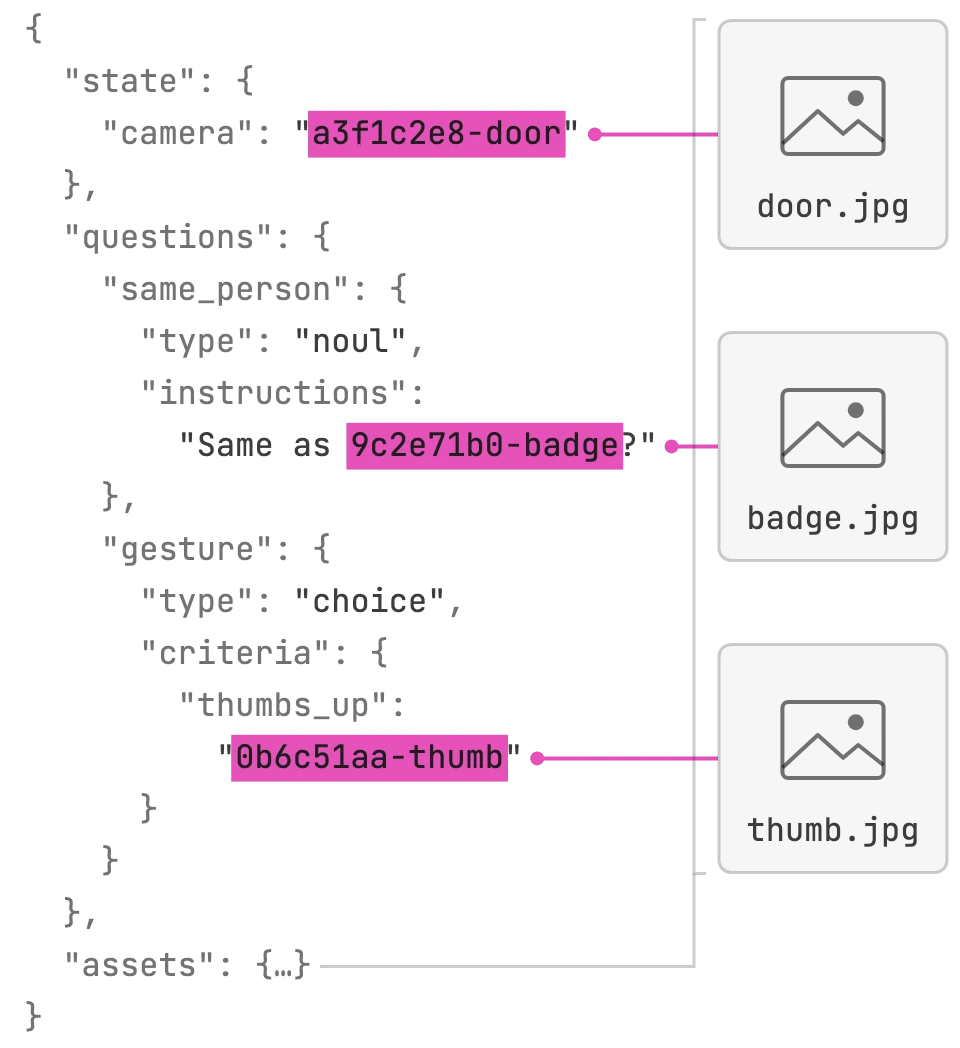
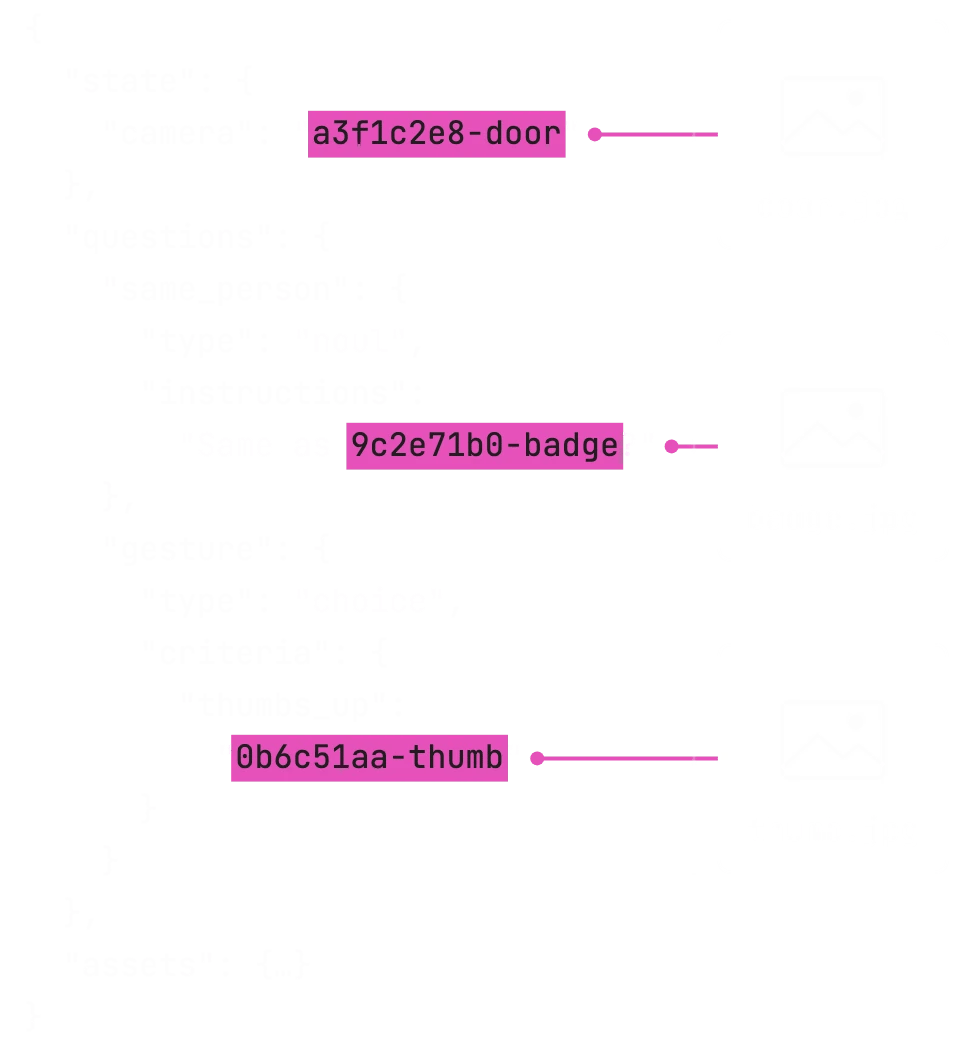
Each image is listed once, in the request’s top-levelassets map. Its key in that map is a reference string. Write the reference wherever the image belongs, as a whole string value or inside a longer string, and the model receives the image in its place.
This request sends a photo of a found dog as the state, and puts the photo from a lost-dog poster directly into one question:
instructions or criteria, as the poster photo does above.
Jev 1.13 and Jev 1.14 both accept images. Box questions need Jev 1.14.
Asset fields
map<string, Asset>
The images in the request, keyed by reference string. Every reference must appear somewhere in the
state, instructions, or criteria.part or data_base64. If an asset has both, the API uses part.
References
References are matched as plain text anywhere in the request’s strings, so a reference works mid-sentence as well as as a whole value. A short reference such ascat could also match inside category. Use references that can’t occur in your text by accident. A new UUID for each image in each request is the safest choice.
- Every asset must be referenced. A request with an asset that is not referenced anywhere returns
400. - Whole values match first. A string that is exactly a reference becomes that image. In longer strings, references are replaced from left to right, and matches never overlap.
- Each use adds the image again. The file is uploaded once, but every place its reference appears adds another copy of the image to what the model reads, and every copy counts toward the expanded request limit.
- Object keys are not replaced. A Choice option name, a question ID, or any other object key stays text. To define a Choice option with a picture, put the reference in the option’s description, as in Criteria.
- Answers contain the reference, not the image, wherever they repeat your criteria, such as a Score’s
legend. - Keep keys short. Each reference can be at most 1,024 bytes of UTF-8, and all references in a request together at most 65,536 bytes. These limits count bytes, not characters. A reference can’t be empty or only whitespace.
Uploading images
With the latest Python or JavaScript SDK, put an image object anywhere text can go. The SDK creates a reference for it and uploads the file. This example sends one doorbell photo as the state and asks two questions about it:Over HTTP
Without an SDK, send each image as a file part in amultipart/form-data request. Multipart is the better choice: it sends the file as it is, while base64 makes each image about a third larger, and that extra size counts toward the 32 MiB request body limit. Base64-encode images into the JSON only when you can’t send multipart.
- Multipart (recommended)
- Base64 in JSON
Send the JSON body as the first part, named The rules for multipart requests:
request, with content type application/json. Send each image as its own file part, and set that image’s part in assets to the file part’s name:- The first part is named
requestand holds the JSON body. - Part names are unique and not empty.
requestis reserved for the JSON body. - Each image part has content type
image/png,image/jpeg,image/jpg, orapplication/octet-stream, or no content type. Any other content type returns400. - Each file part belongs to exactly one asset. A part that no asset names, two assets that name the same part, and an asset whose part is missing all return
400.
Image placement
State
Images in thestate are part of the state, the same as any text or JSON there. The model evaluates them together with the rest of the state, and every question in the request is evaluated against them. A state can mix images with text, and can hold several images, labeled or nested like any other state data. This state holds a short history of camera frames, oldest first:
frames open during these frames?” or refer to one frame by path, such as `frames[2].frame`.
Instructions
An image in a question’sinstructions is part of that question and is sent only with that question. Put the reference in the sentence where the question needs the image:
instructions is sent to the model once for every question that includes it. When several questions use the same image, put it in the state once and refer to it by path from each question. That uses fewer tokens and less of the size limits.
Criteria
Choice options, Score levels, and Noultrue and false definitions can each include images. This Choice classifies a hand gesture, with each option defined by example pictures. The option names are the values your code receives in choice, and the pictures are what the model compares the hand against:
thumbs_up), a description with one or more examples (open_palm), or text only (none). The description and examples keys are names chosen for this example, not required fields: criteria accept any structure.
Score and Noul criteria take images the same way:
- Score levels can each include an example picture. A Score for how open a hand is could use a closed fist, a half-open hand, and an open hand as its three levels.
- Noul criteria can define
trueandfalsewith pictures:{"true": {"description": "Correctly assembled", "examples": ["<reference>"]}, "false": "Parts missing or in the wrong place."}.
Structured data
State, instructions, and criteria accept nested JSON structure, and a reference works at any level of it. A question can refer to one picture in an array as`lineup[2]`, or to one in a labeled object as `faces.happy`. A criterion can hold several example pictures as an array.
Patterns
Limits
All limits include both ends of the range. An image outside them is rejected, never resized to fit. If any image in a request is rejected, the whole request fails: there are no partial answers. See Errors for the status codes.
How many images fit in one request depends on these limits and on the context length. Images have no separate rate limits: a request with images counts against the same limits as any other request.
To stay under the request limits, send fewer images, send smaller images, put an image that several questions use in the
state once instead of in each question’s instructions, or split the work across requests.
Preparing images
Send each image as a PNG or JPEG, rotated upright and sized within the limits. Prepare each one before you send it:- Resize before sending. Scale the image so its longest side is at most 1568 pixels. A typical 12-megapixel phone photo becomes 1568 × 1176. Scale up, or pad, an image smaller than the minimum.
- Rotate the pixels upright. The API removes all metadata (EXIF, color profiles, comments) and does not apply the EXIF orientation. A photo that looks upright in your photo viewer can reach the model sideways, so rotate the pixels themselves first.
- Send a still image. For an animation or a video, export the frame you want as a PNG or JPEG. Convert other formats, such as GIF, WebP, or HEIC, to PNG or JPEG.
- Prefer standard JPEG. A standard 8-bit baseline JPEG is the safest JPEG to send. Re-save progressive JPEGs as baseline.
- Re-export a rejected file. If the API rejects a file that opens fine on your computer, open it in a standard image editor or library and export it again as PNG or JPEG.
Image tokens
Each image counts as input tokens, billed at the same per-token input price as text. There is no separate charge for images. Theusage.input_tokens field in the response includes the tokens for every image in the request. Image tokens also count toward the request’s context length.
We’ll be providing guidance on estimating image token usage soon.
Errors
If a request has several problems, the error reports one of them. Check the request against Limits and Preparing images.