

- a
Noulquestion per vaccine: is it on the record? - a
Boxquestion per vaccine: where is its row? - a
Choicequestion per row: what year does the date say, or is itunreadable?
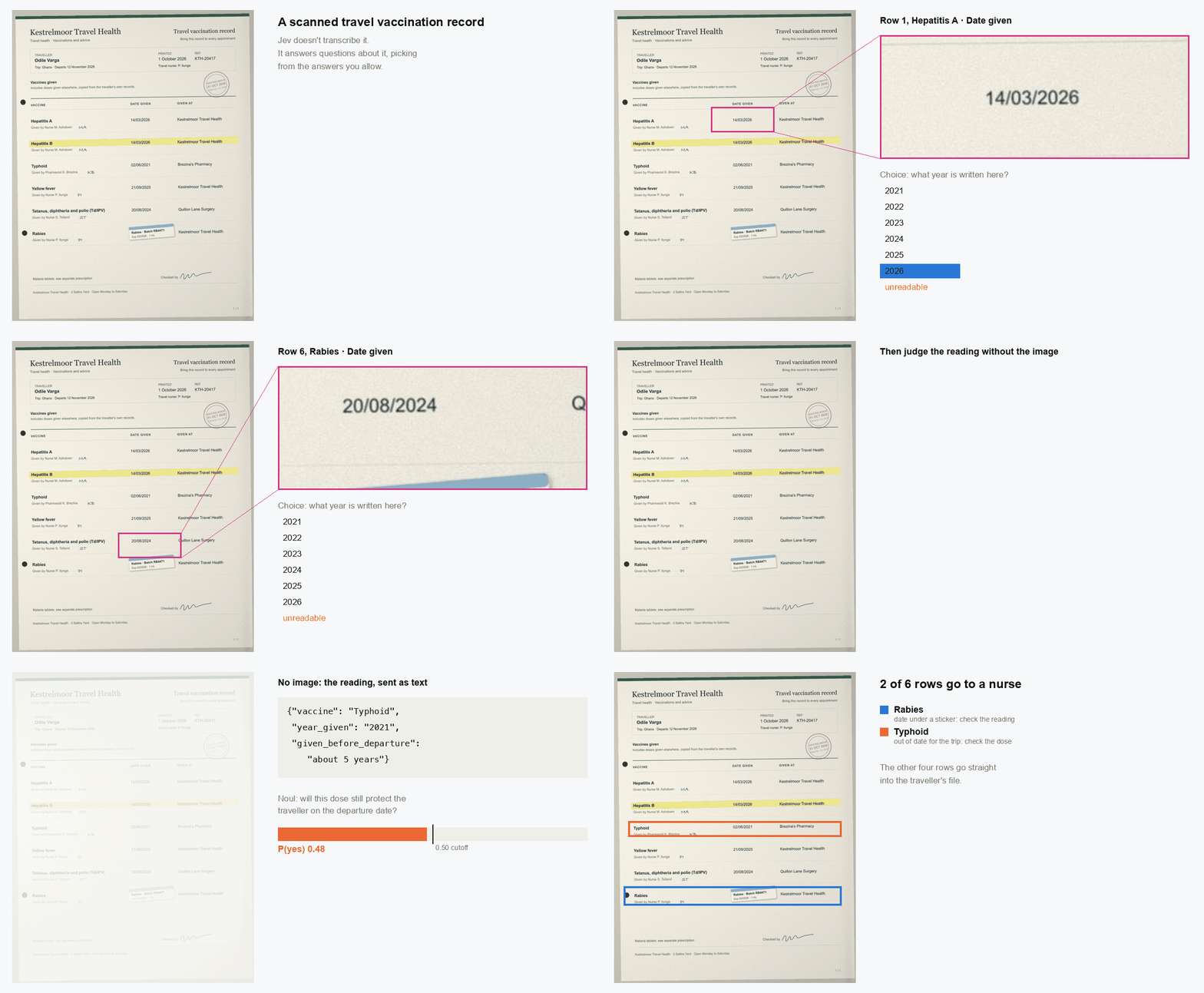
- The rabies date is under a batch sticker, so it can’t be read from the scan. Jev
answers
unreadableinstead of guessing. - The typhoid dose is from June 2021. The date is clear, but a typhoid injection protects for about three years, so it won’t cover the trip in November 2026.
unreadable as an option to
account for values that cannot be found on the page.
Two requests read the scan, and a third checks the readings as text. Your code decides
what goes into each request and which rows to flag.
Setup
TYPESAFE_API_KEY. Download vaccination_record.jpg and json_cache.json from
typesafe-public-examples
and keep them in one folder with the script. json_cache.json stores the API responses
behind the numbers on this page. While it’s there, the script reuses those responses
instead of calling the API, so you get the same numbers. Delete it to call the API
yourself.
Send the scan to Jev
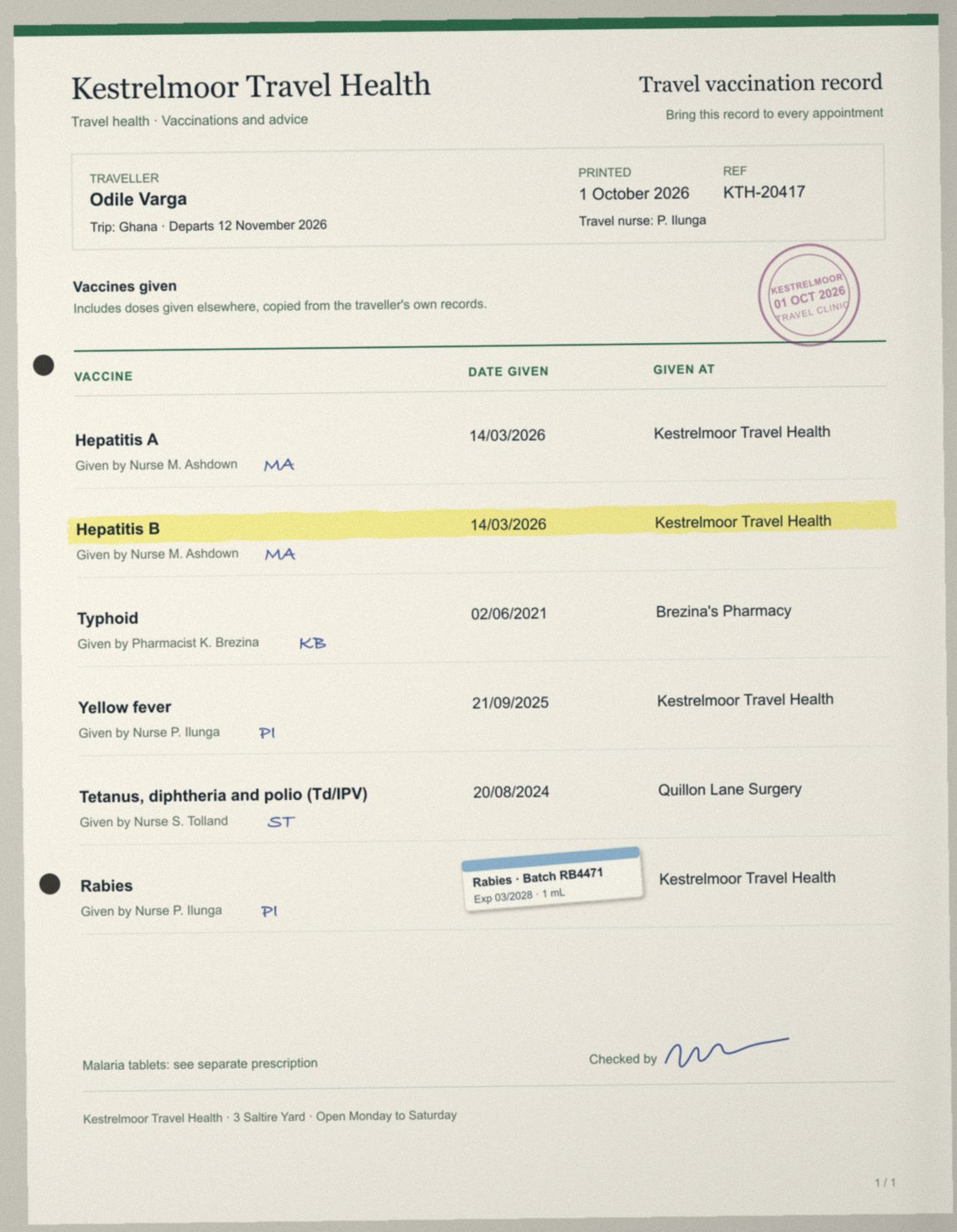
Image(PAGE), under the name page, and
each question mentions page to say which image it is about. All the questions in a
request see the same image, so each step’s questions go in one request.
Jev accepts PNG and JPEG files up to 16 MiB. Each side has to be between 280 and 1568
pixels, so scale a high-resolution scan down before sending it. The
image limits page lists the rest, including
limits on the whole request.
Find which vaccines are on the record
Jev doesn’t extract data into a list. It answers questions about what’s on the page, so you ask it about each thing you’re looking for. In this case, that’s the 16 vaccines the clinic gives. The first request asks two questions about each one:- a
Noulquestion: is this vaccine in the table? - a
Boxquestion: where is its row?
Noul question asks whether the table has a vaccine that isn’t on the list at
all, since none of the other questions would catch that.
A
Box always returns a box, even for a vaccine that isn’t on the page. Only use
the box when the Noul says the vaccine is there. Noul question per group of
vaccines.
Read the year of each dose
The in-date check only needs to know roughly how old each dose is, so the second request asks for the year alone, with oneChoice question per row. A Choice always picks one
of its options, so the date under the sticker would otherwise get whichever year looked
closest. The list of years ends with other and unreadable, which lets Jev say it
can’t read the date.
Each row also gets a Noul question asking whether the date is fully legible. It’s a
second signal, separate from the Choice, that something is covering the date.
other or unreadable pick leaves the row without a year, so there’s nothing to check
yet.
Choice picks unreadable and the legibility
Noul is 0.05.
The legibility Noul scores the clear dates between 0.86 and 0.96, lower than the
Choice answers. That’s why it gets its own cutoff of 0.50 further down. The lowest of
them, at 0.86, is the Hepatitis B row with a highlighter stroke across it, still far
above the 0.05 for the date under the sticker.
Check whether each dose covers the trip
Reading the page correctly doesn’t catch the typhoid dose. Its year is clear, and Jev read it. The third request asks a different question: will this dose still protect the traveller on the day they leave? This request doesn’t include the image. It sends the readings as text, so the answer is only about the dose, and the reading stays with the image questions. We work out roughly how long before departure each dose was given, because date arithmetic is a job for code, and leave out rows without a year. The state gives Jev the departure date, and the criteria say what counts as in date.Flag the rows to check
A row gets up to two flags:- Check the reading if an answer about finding or reading the row is below 0.90, the
legibility
Noulis below 0.50, or the year came backotherorunreadable. - Check the dose if the in-date score is below 0.50.
READ_CUTOFF at 0.90, LEGIBLE_CUTOFF and
IN_DATE_CUTOFF at 0.50) are a starting point. Tune them on records a person has
already checked.
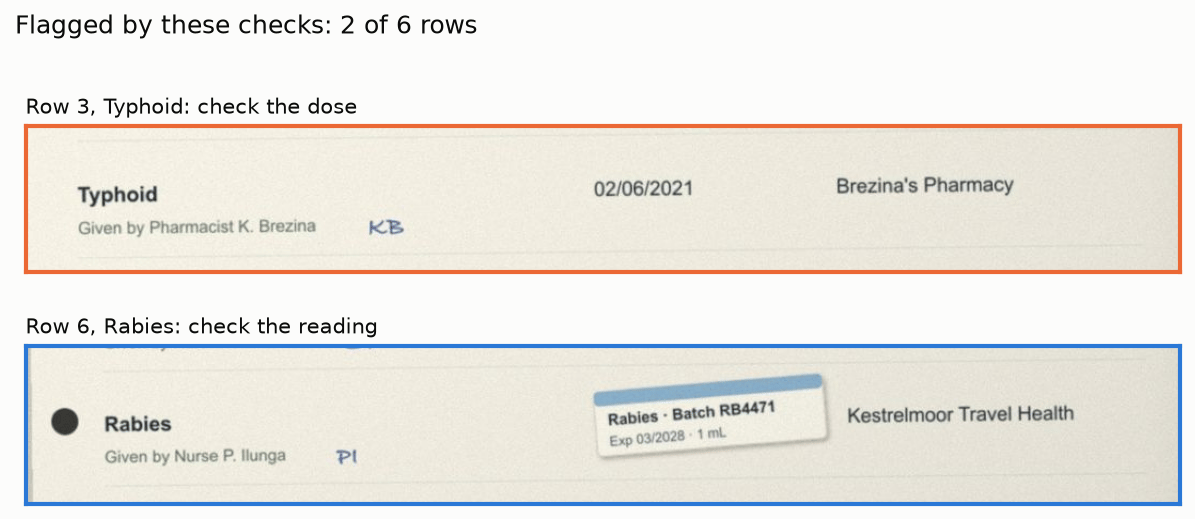
Crop the flagged rows for the nurse
ABox answer has top, bottom, left and right edges as fractions of the image’s
height and width, plus a confidence. Multiply by the image size to get pixels. The
crops reuse the boxes from the first request with a small margin, and a wider margin when
the box’s confidence is below 0.6.
Using it on your own documents
This approach fits any document where you know the possible answers in advance. Swap in your own lists forVACCINES and YEAR, keep other and unreadable in each list of
options, and rewrite the in-date question for your documents.